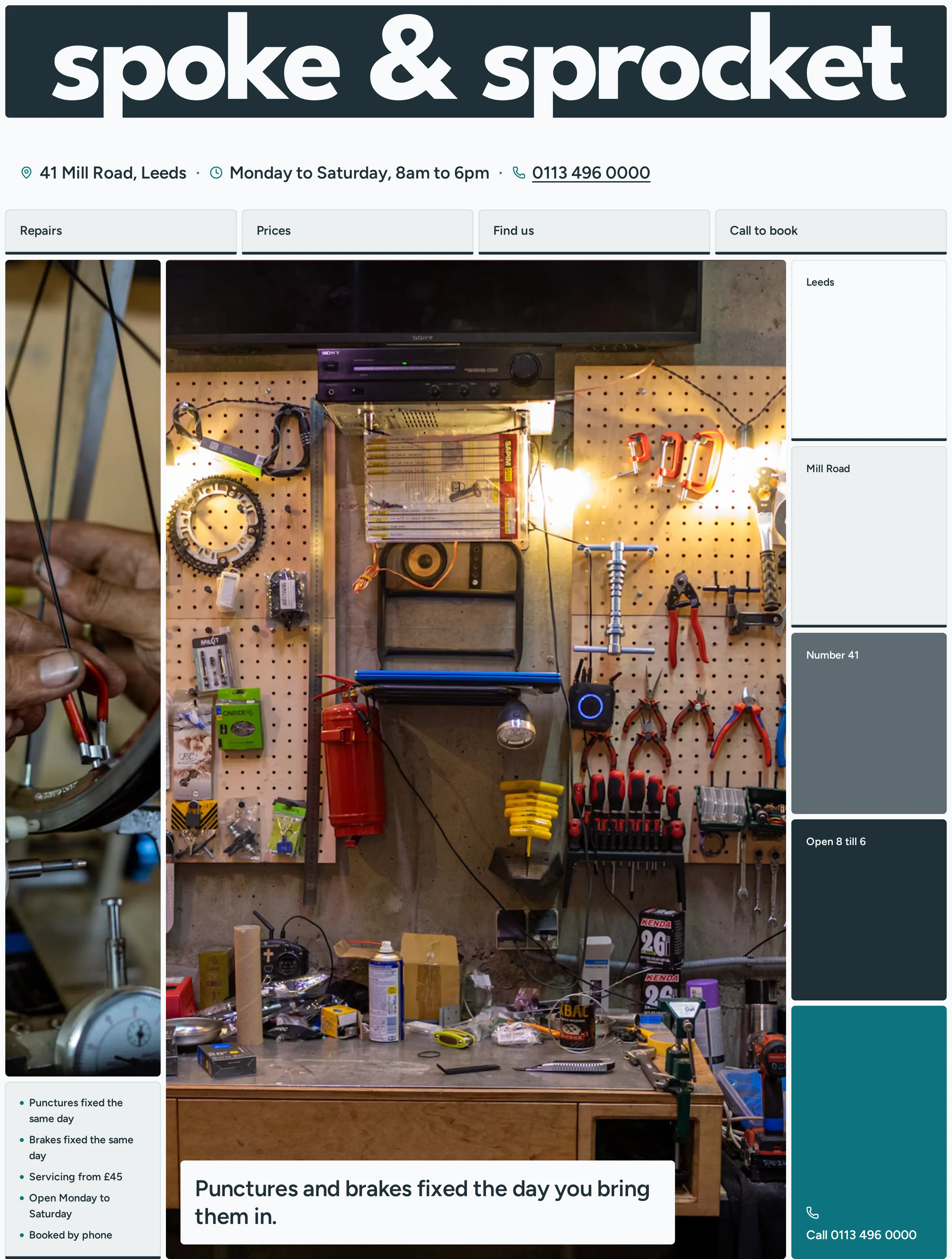
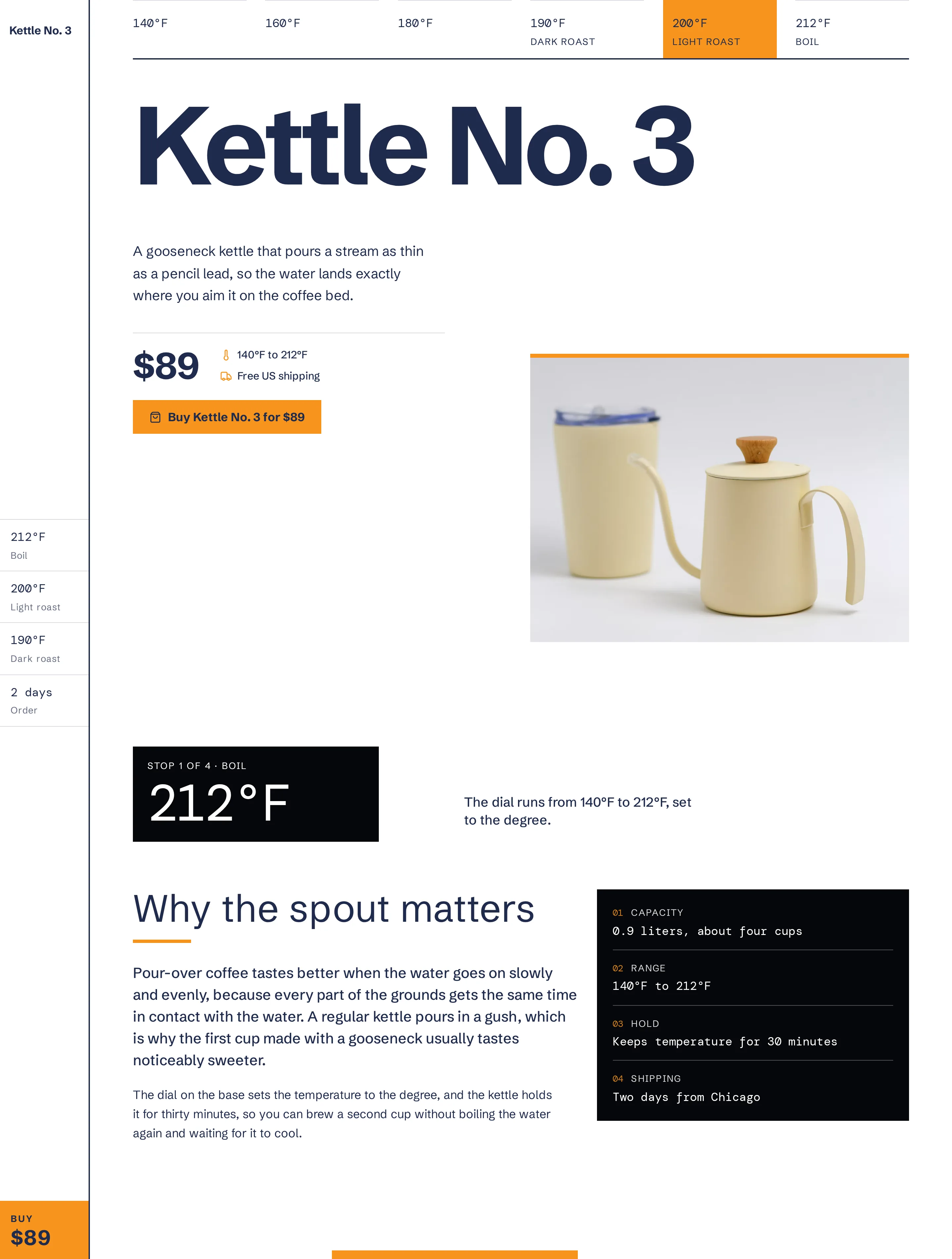
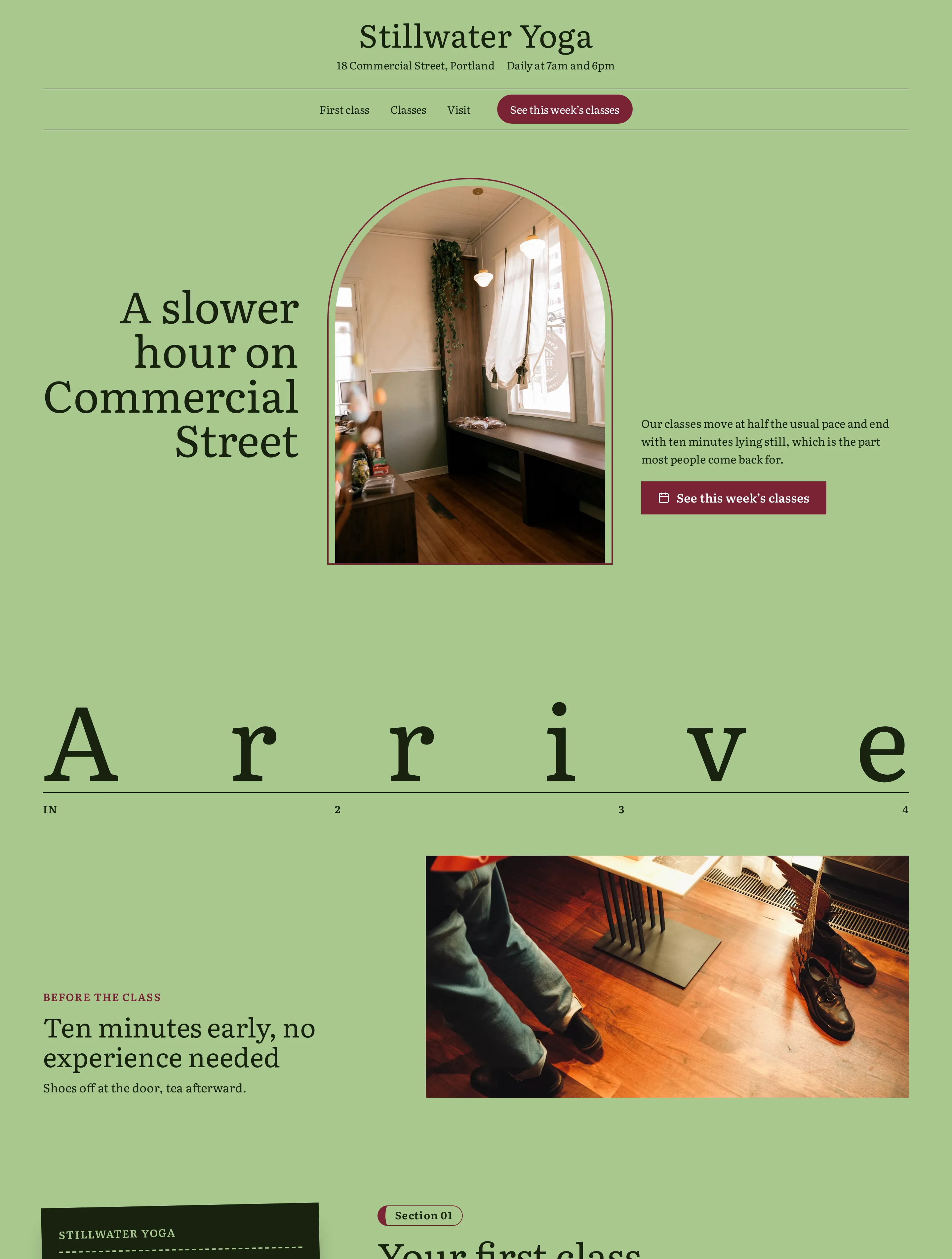
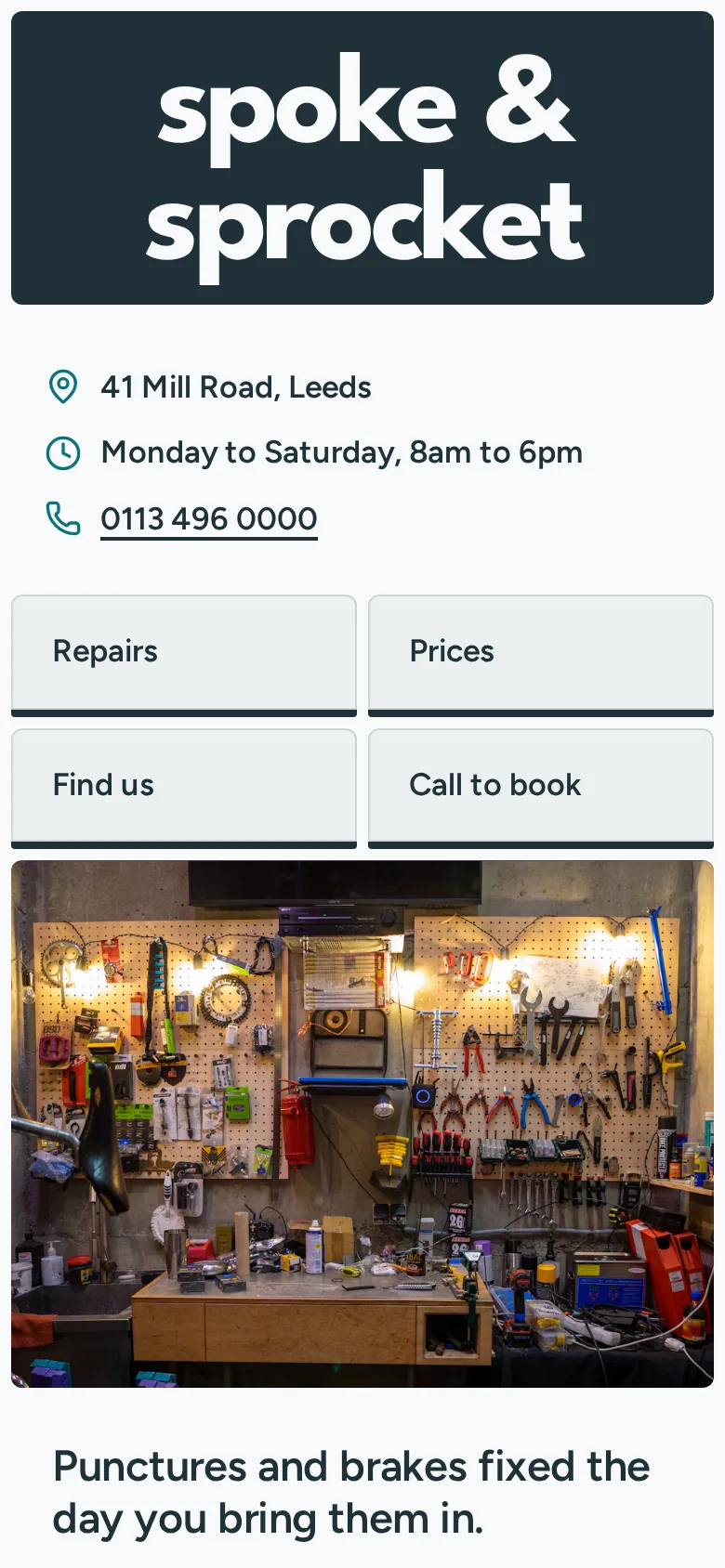
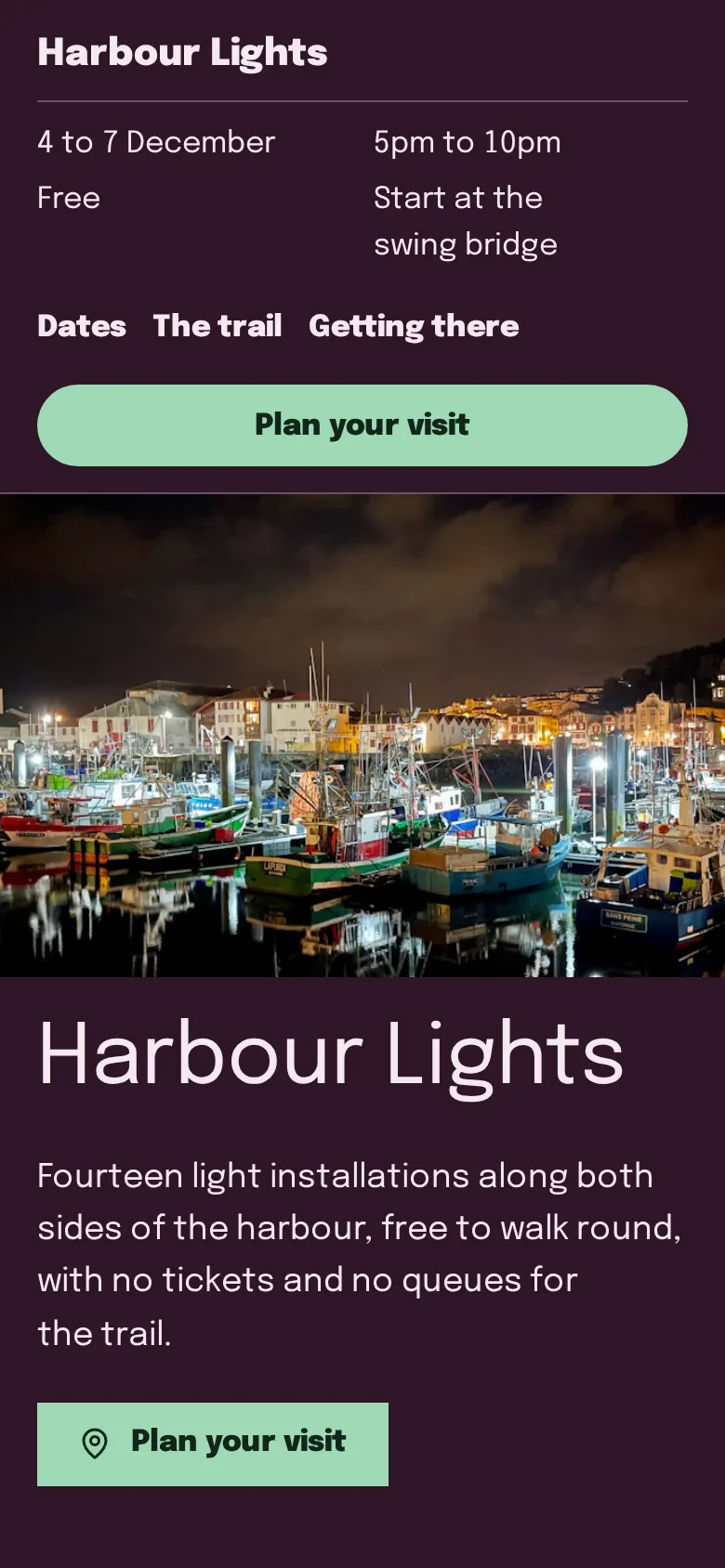
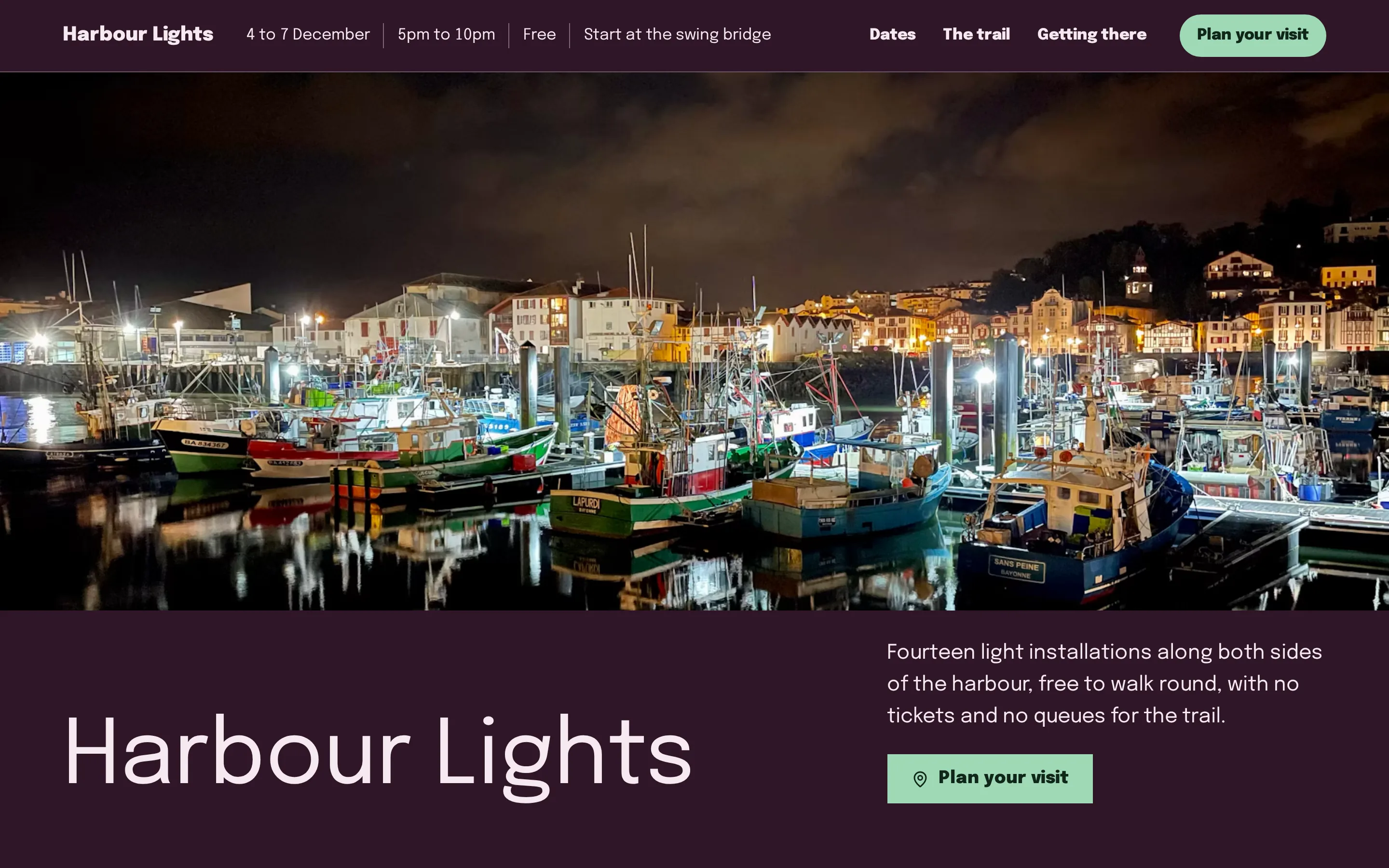
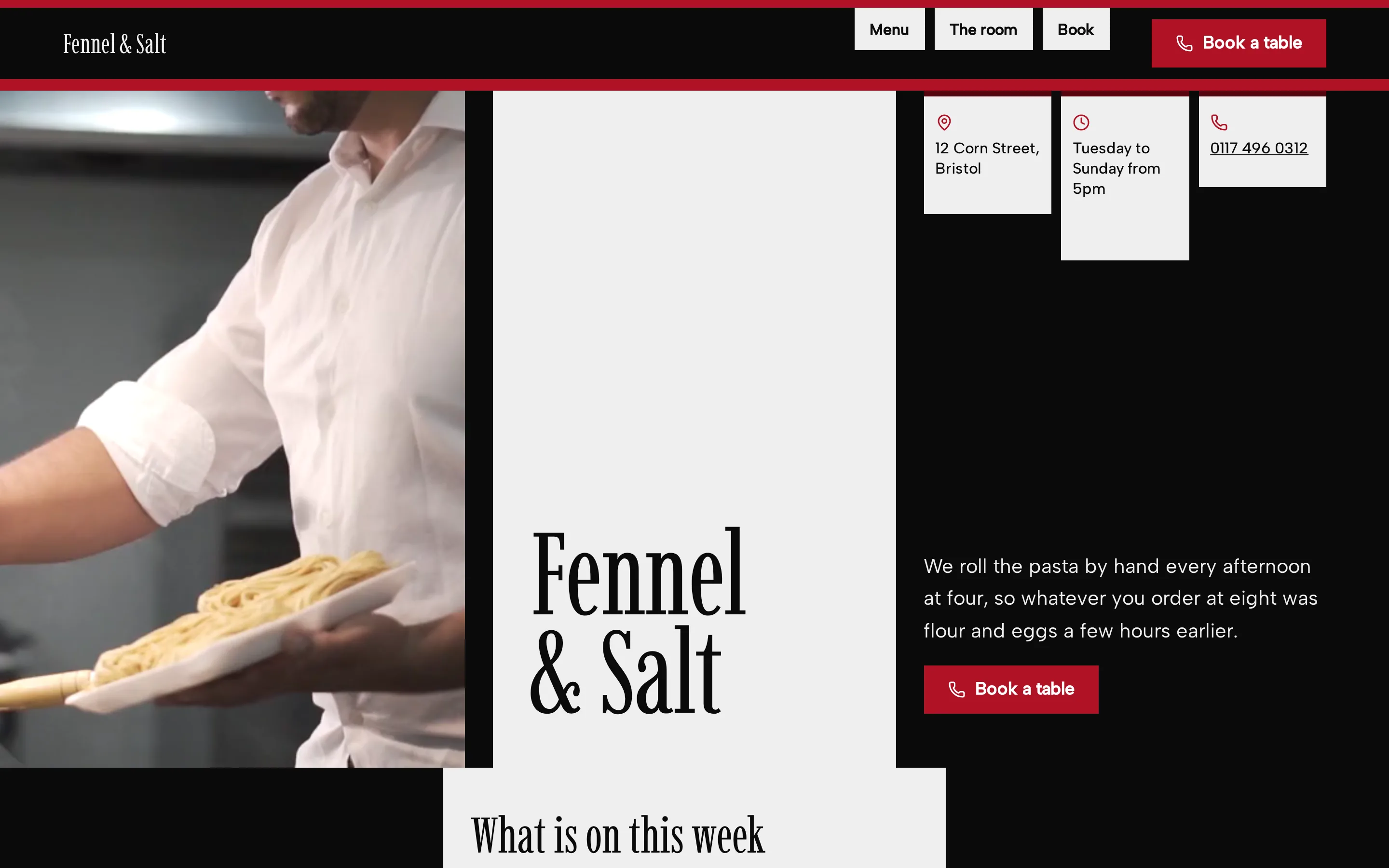
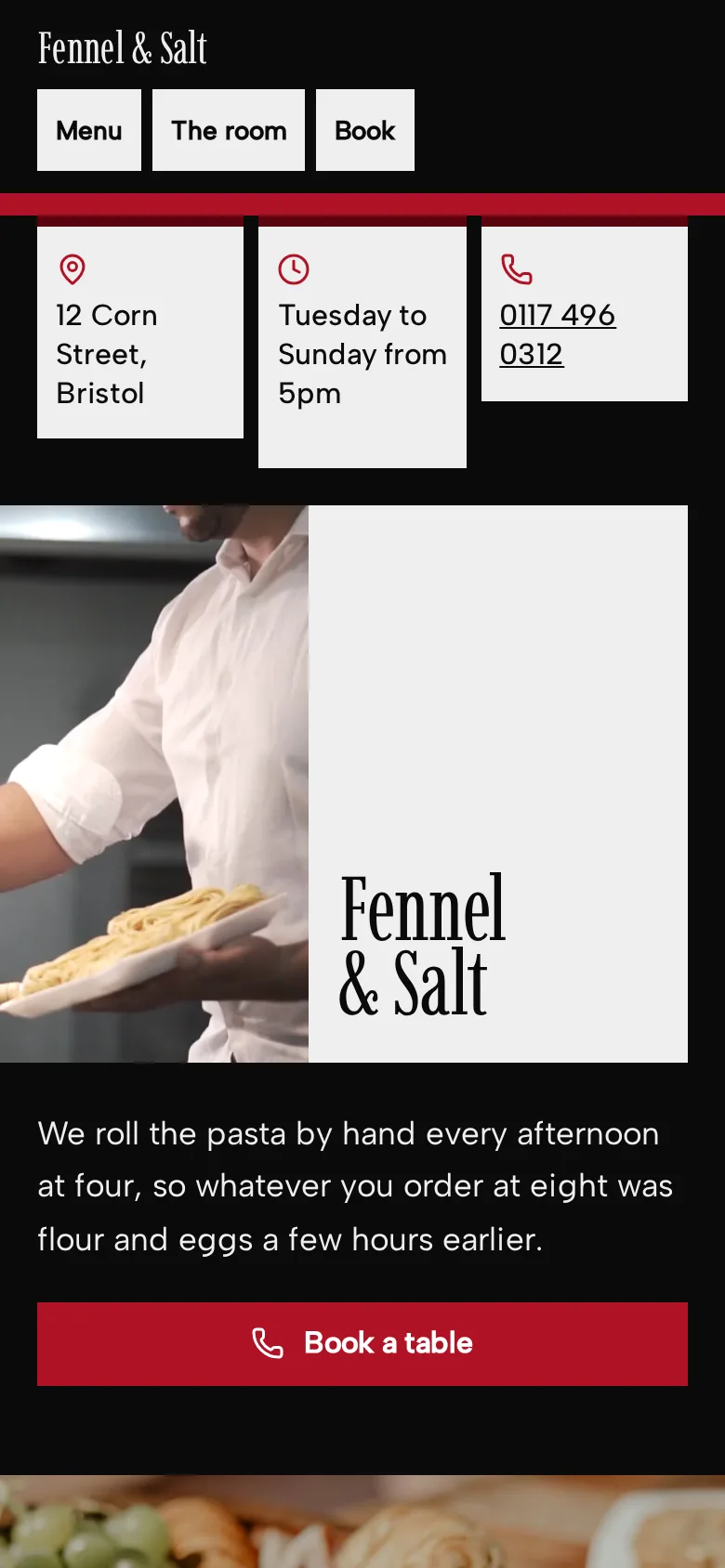
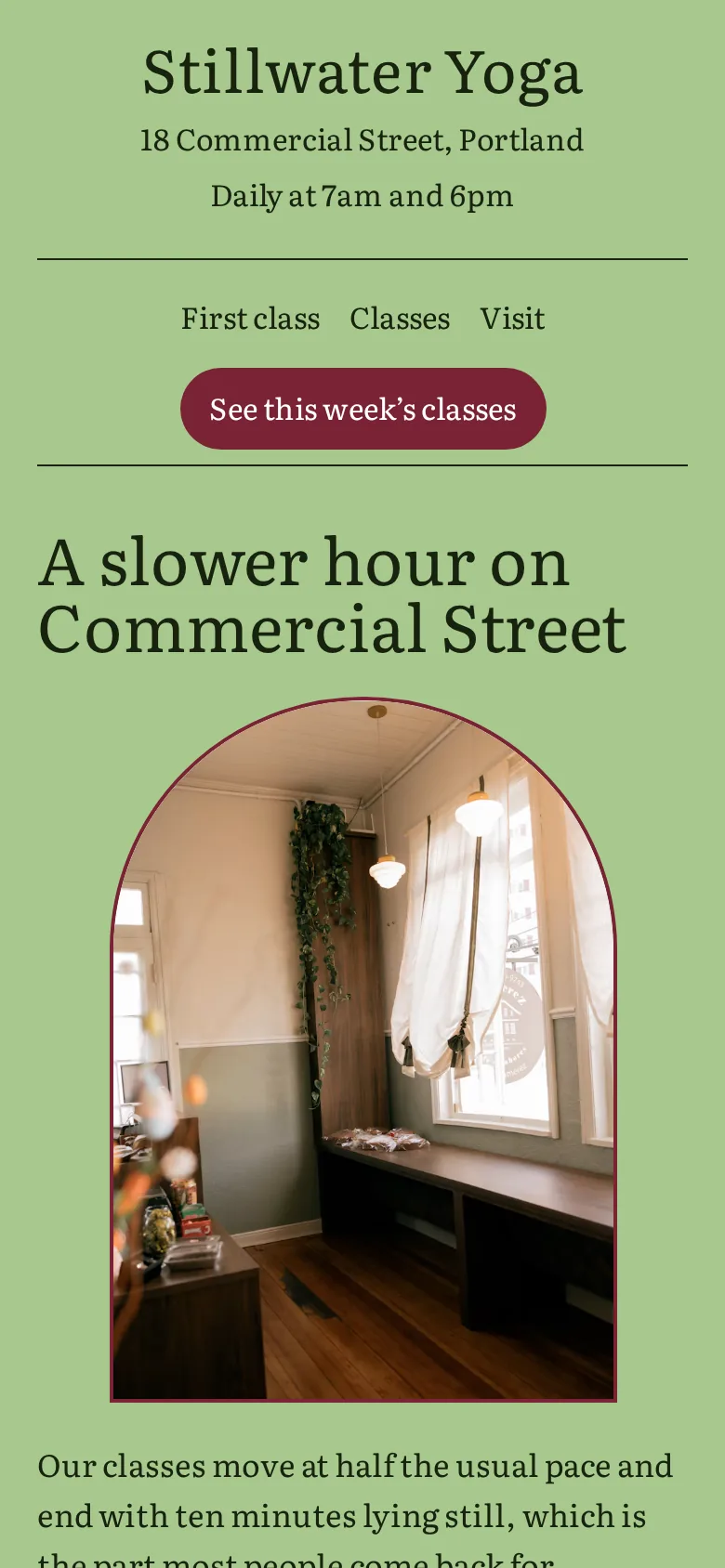
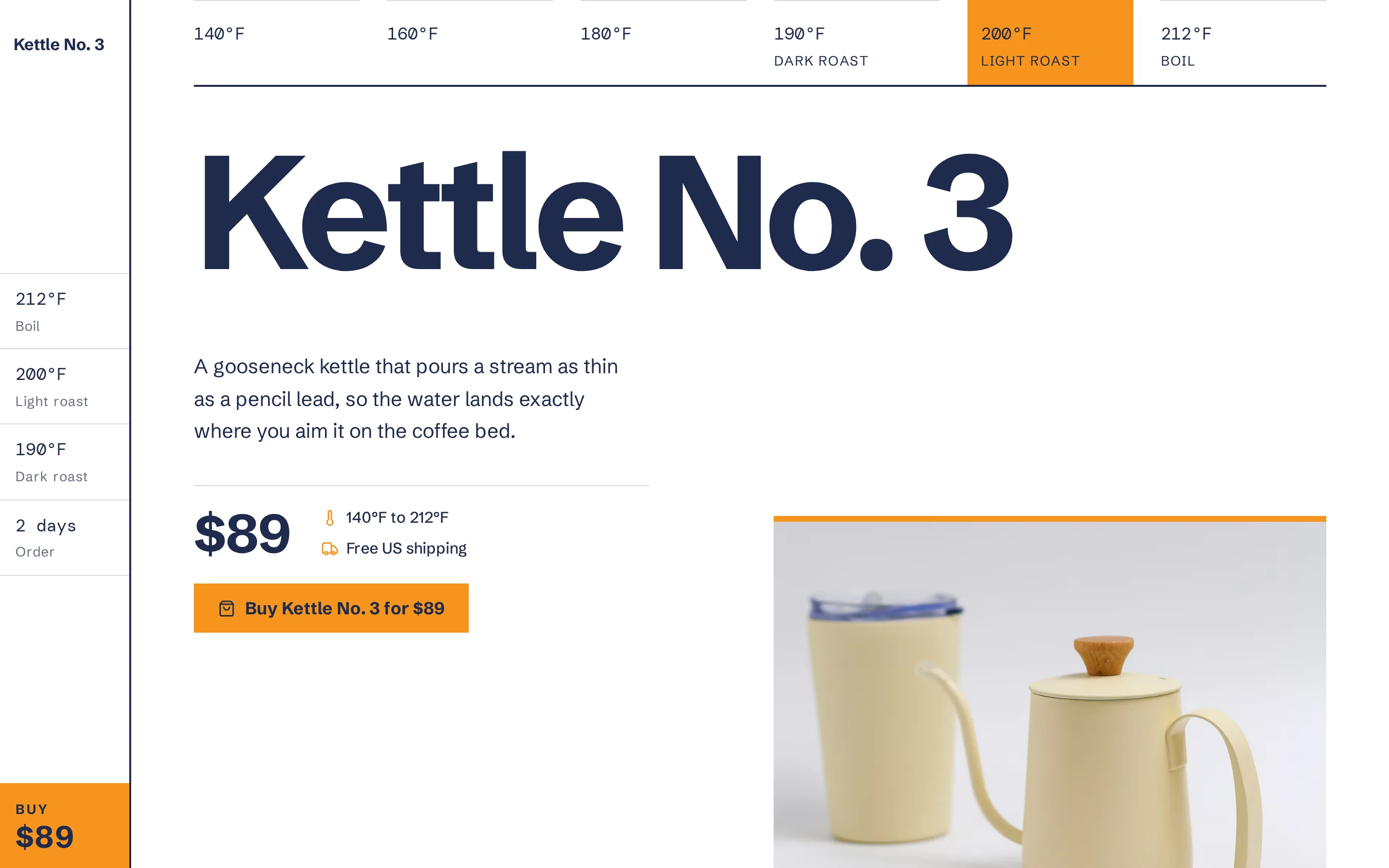
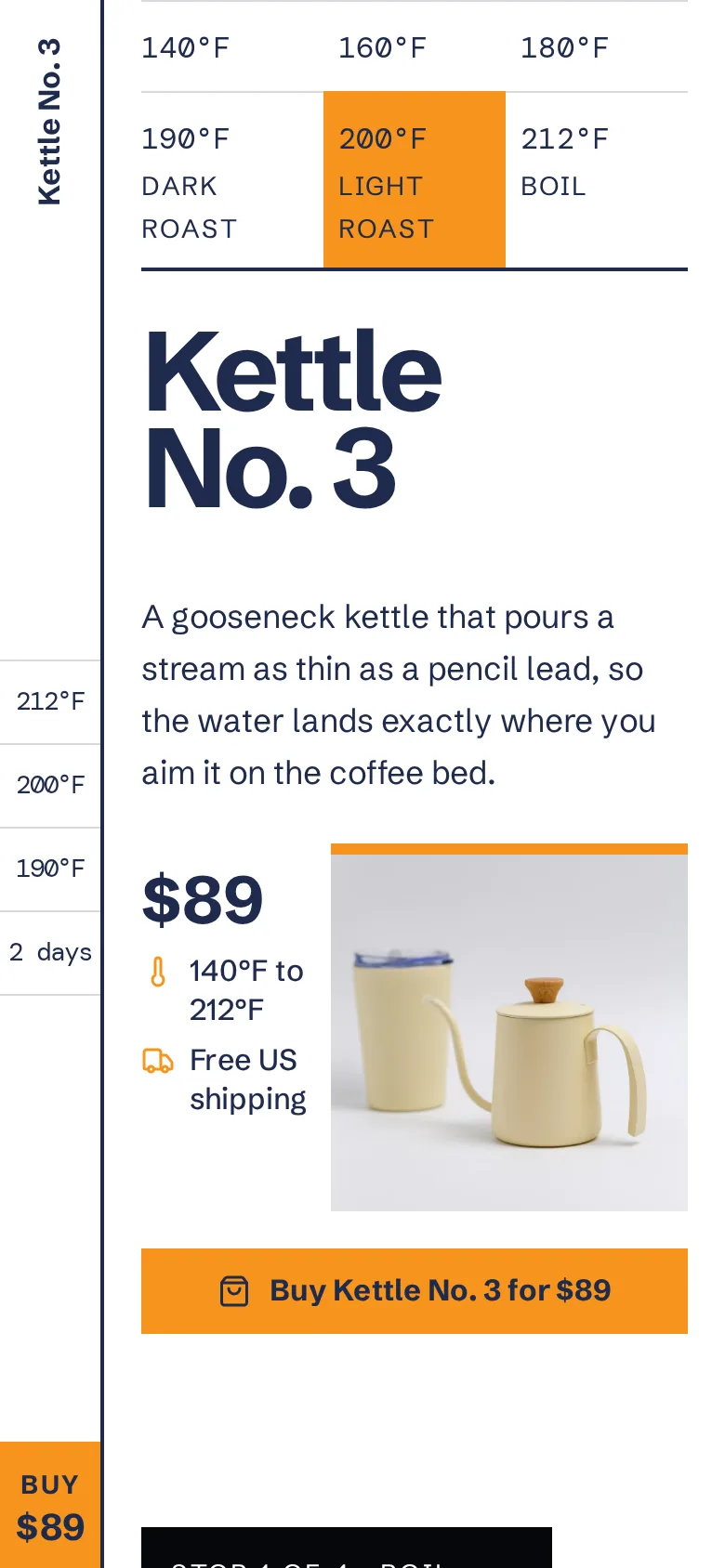
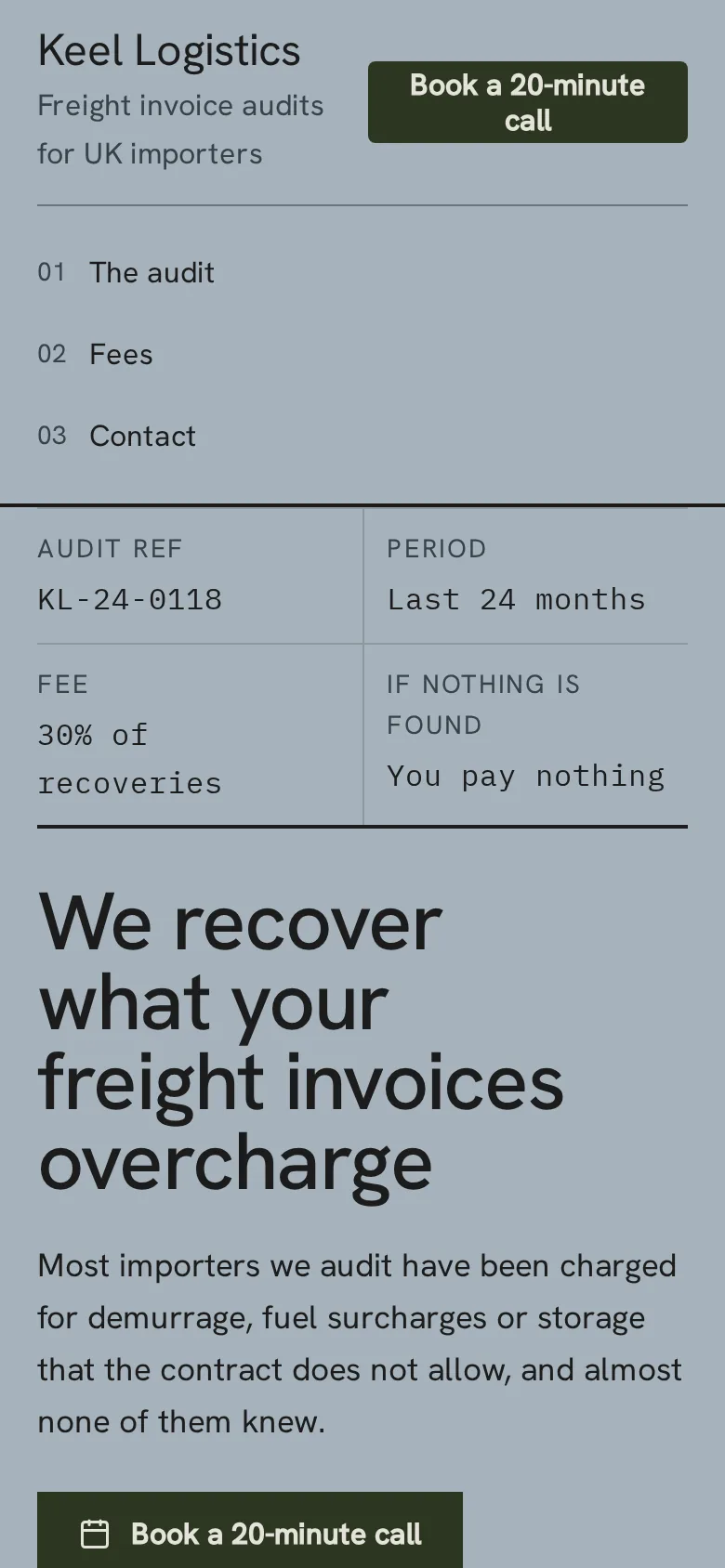
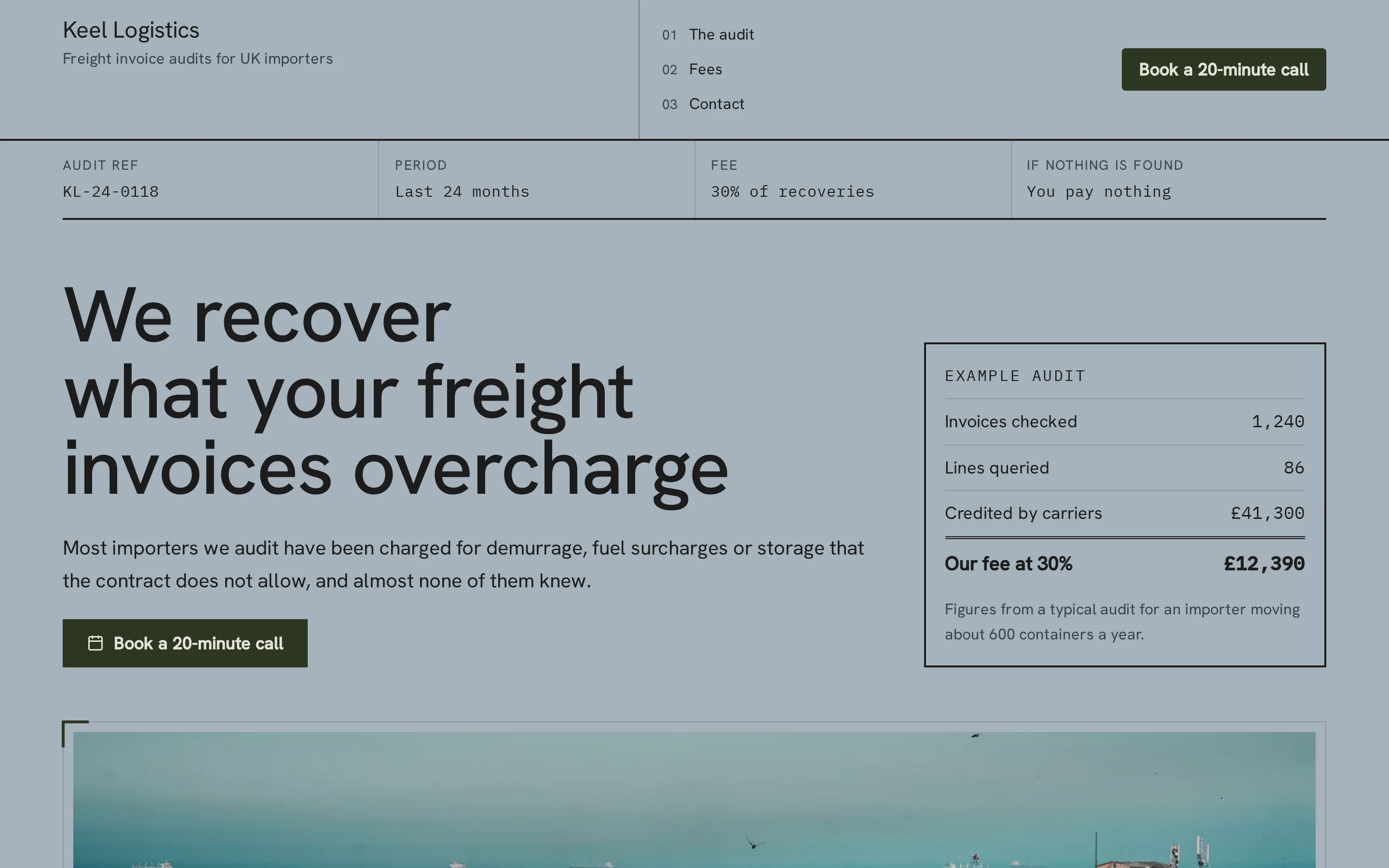
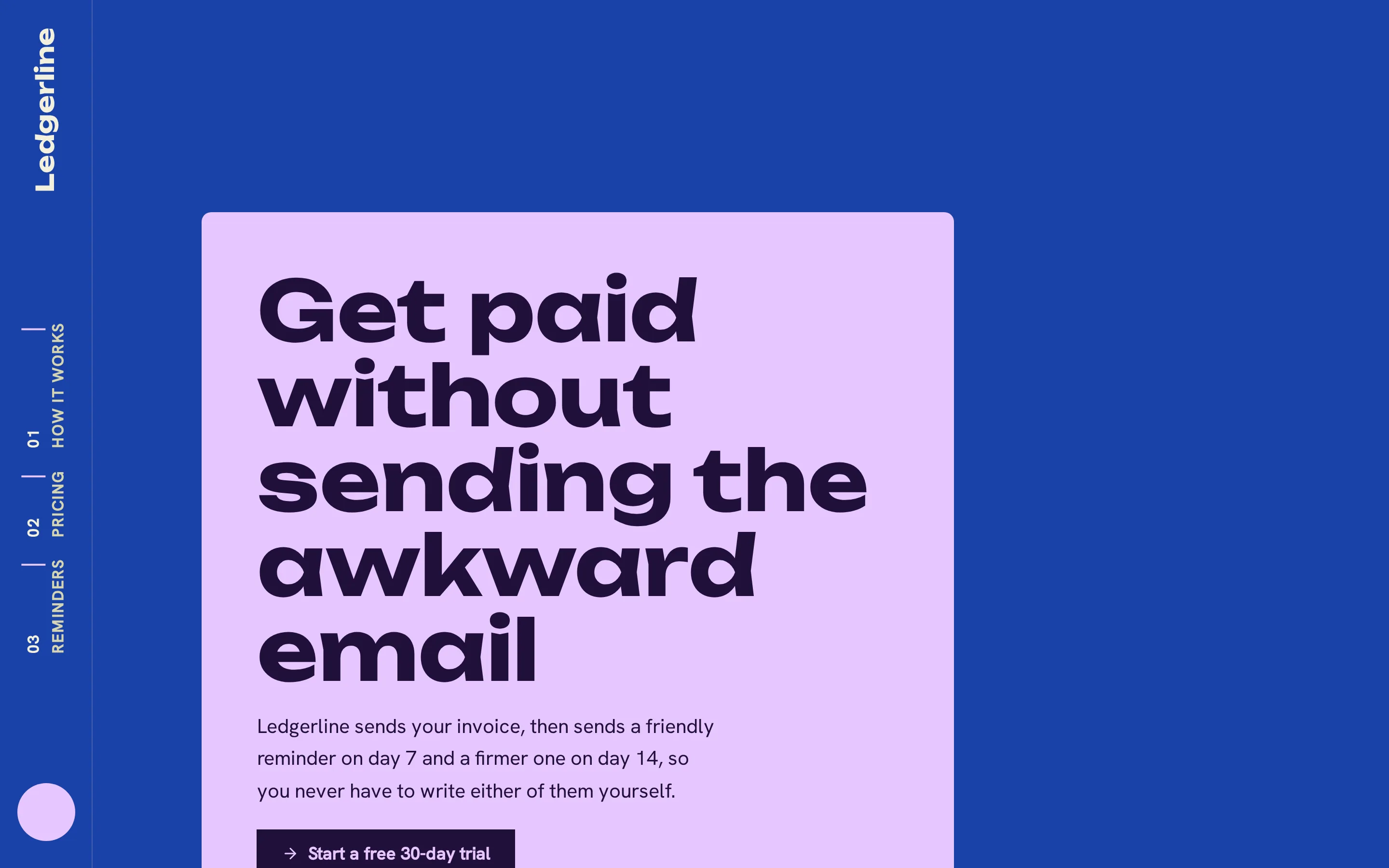
Three of the twelve starter sites, built with the Kit.
Speed is not the problem. Slop is.
Ask an agent for a website and you get the average of every website it's seen: the purple gradient, three cards, the same padding. People can spot it from a screenshot, and so can your client. A longer prompt won't fix it, because the problem isn't the prompt. It's what the agent has to work from.
SignOff Kit gives your agent what it's missing: a designer's process.
a design spec written before any code
a layout dealt from a deck of 130 and checked against every design the Kit has already made
scripts that reject the styles AI pages default to
an audit at phone, tablet and desktop widths
a handoff doc your client can actually use
Send it as is, or add your own finishing touches. The final output is always in your control.
Seven briefs. Seven sites you can tell apart.
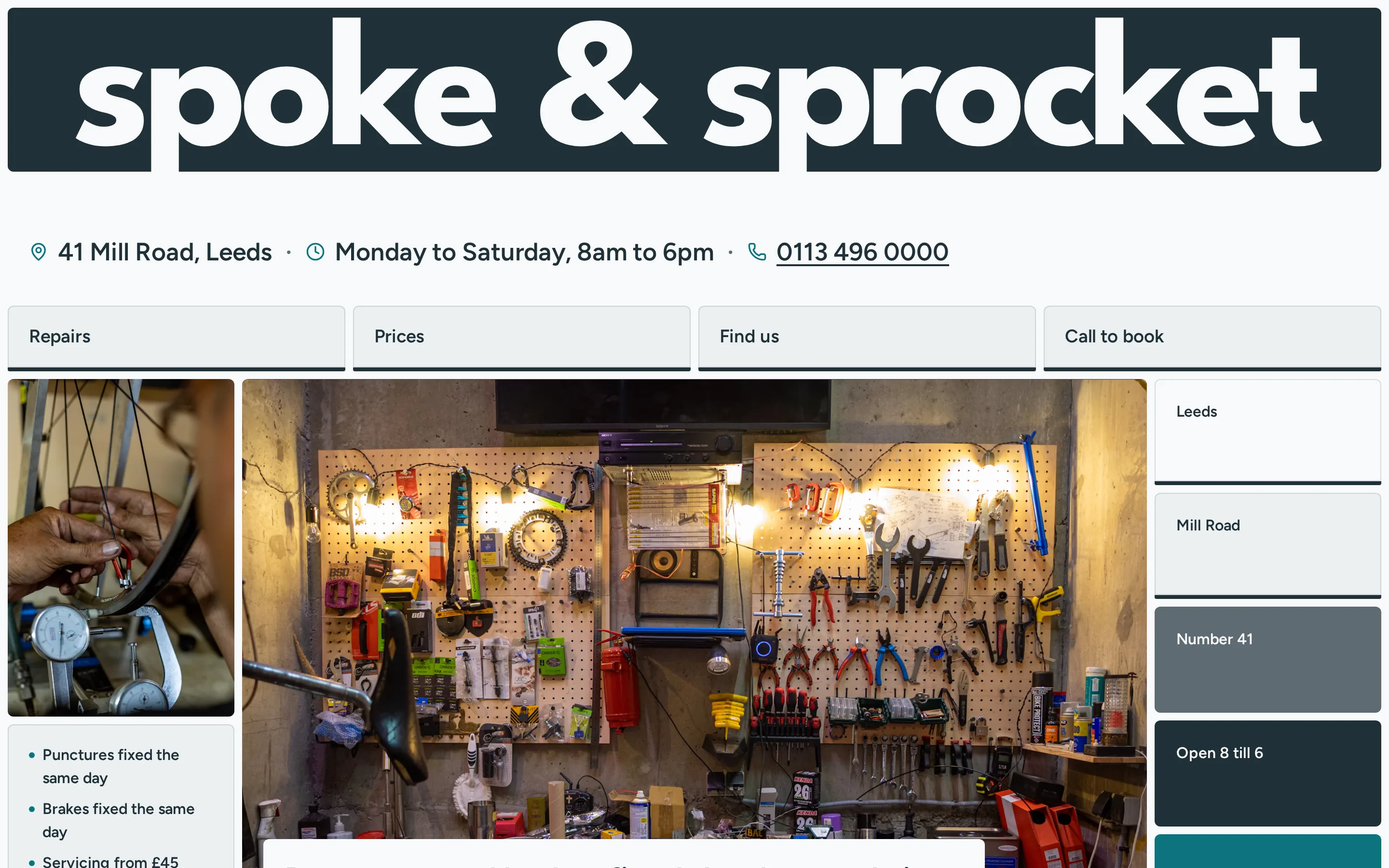
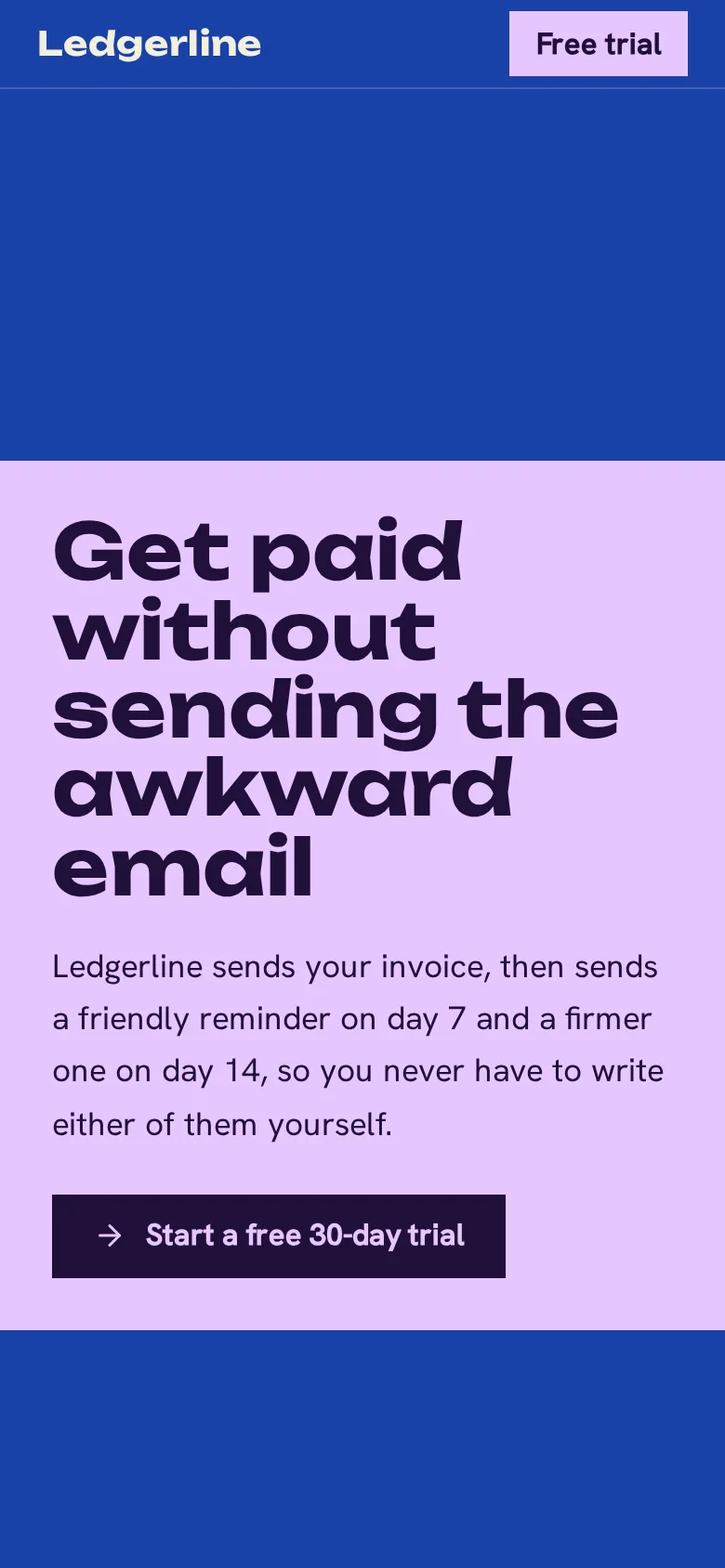
Seven one-page sites built with the Kit: a bike repair shop in Leeds, a winter light festival, a Bristol restaurant, a small yoga studio, a shop that sells one kettle, a freight-audit firm and an invoicing app.
Every one passes the Kit's audit at phone, tablet and desktop widths, and all passed an independent design review.
Spoke & Sprocket · a bike repair shop in LeedsSpoke & Sprocket, 390px
Harbour Lights, 390pxHarbour Lights · a winter light festival
Fennel & Salt · a restaurant in BristolFennel & Salt, 390px
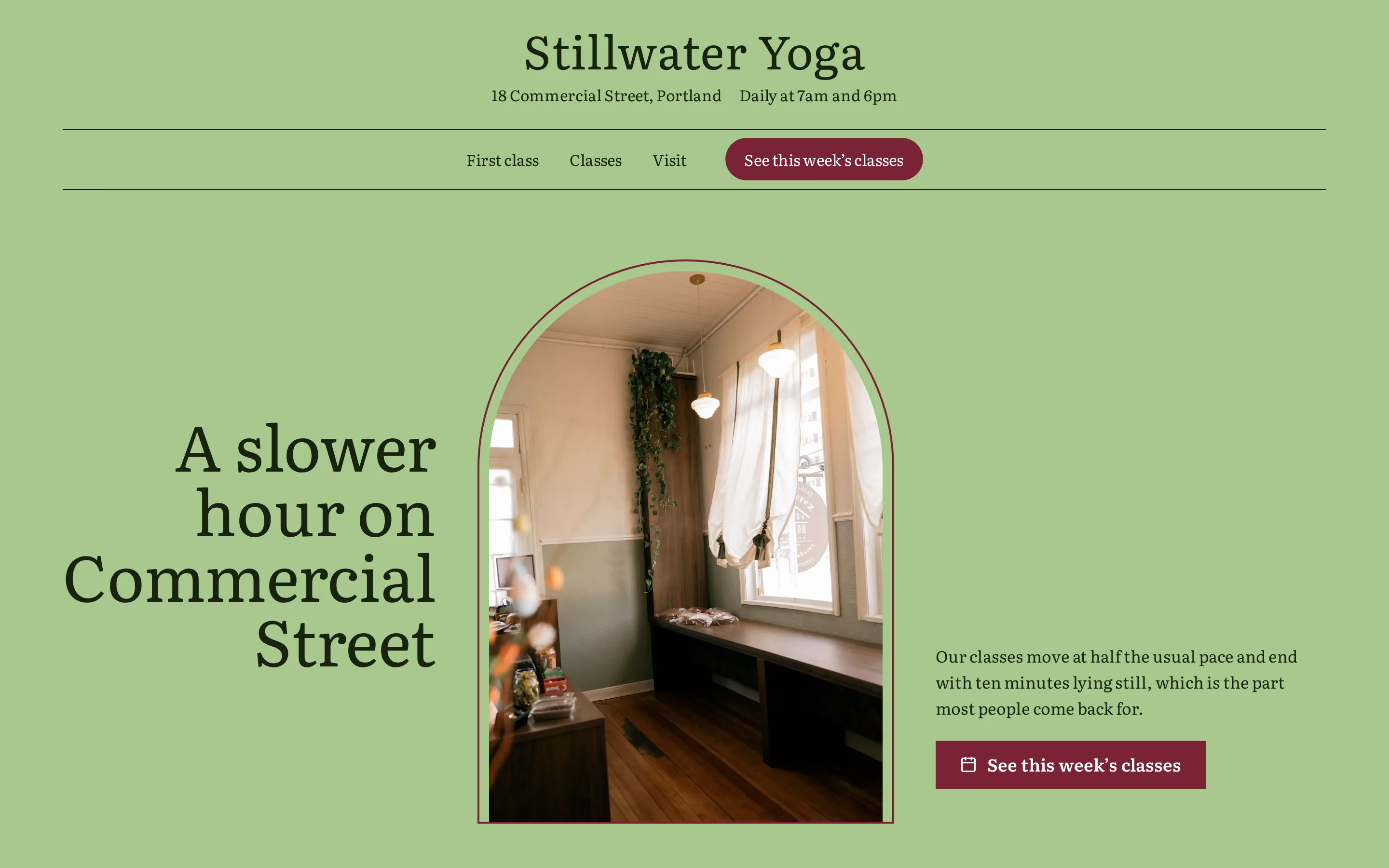
Stillwater Yoga, 390pxStillwater Yoga · a small yoga studio
Kettle No. 3 · a single-product shopKettle No. 3, 390px
Keel Logistics, 390pxKeel Logistics · freight invoice audits
Ledgerline · an invoicing appLedgerline, 390px
All seven ship in the paid Kit, along with five more starters: twelve in all, each with its brief, design spec and handoff doc.
Twelve starters. Every one scored 18 out of 20 or higher.
Every starter in the Kit went through an independent design review by a separate AI model. It never saw our notes. It judged screenshots at phone and desktop width, side by side with the three existing designs closest to the new one, so a lookalike gets marked down.
It scored five things from 0 to 4:
the idea
the composition
the type
the photos
how well the page works on both screens
All twelve starter sites in the kit score at least 18 out of 20 and are reviewed by a separate AI reviewer.
A site that didn't clear the bar went back for another round. And before any code gets written, every layout is checked against the Kit's earlier designs and dealt again if it's too close.
No starter shipped until it cleared that bar:
Kettle No. 3 went from 11 to 19 after a redesign.
Fennel & Salt went from 12 to 19.
Riverbank Food Share passed on round 13.
Each one ships with the reviewer's notes, so you can see exactly how it was judged.
How it works
One workflow skill, site-from-brief, runs the job in sequence and brings in the right design skill at each step.
Brief
It reads the client's brief, or asks you a few questions, and writes down the audience, pages, tone and limits before any code exists.
Spec
It commits to one art direction and writes it up as a design spec, steering clear of the palettes and fonts that look like AI. Every font it keeps is licensed and hosted with the site.
Build
It builds plain HTML and CSS against that spec, with one design skill in charge per project, so two skills don't argue over the same page. Then a copy pass scores the words and flags the filler.
Audit
It screenshots the page at 375, 768 and 1440px and checks for overflow, low contrast, anything overlapping, missing alt text, heading order, small tap targets and CDN loads. Then it runs Impeccable's audit and fixes what fails.
Deploy
Ready to share? With your OK, it publishes a preview to your Vercel account, or exports plain files for any host.
Handoff
The paid Kit includes a client handoff template, HANDOFF.md, which covers what was built, where it lives, how to edit the copy and colors, and what's still a placeholder. BRAND.md keeps the decisions for your next session.
Three dials in the brief
Each dial runs from 1 to 5 and changes what the agent actually does. One sets how the copy talks, one sets how loud the design is, and one sets how hard the page sells.
Casual to formal2 of 5
1 casual5 formal
Sets how the copy talks. Low, and it writes the way the owner would say it, with contractions and first names. High, and it stays formal.
Calm to bold4 of 5
1 calm5 bold
Sets how loud the design is. Low settings pick from quieter art directions, high settings from bolder ones, and if the palette gets redrawn it leans the same way.
Plain to persuasive3 of 5
1 plain5 persuasive
Sets how hard the copy sells. Low, and it sticks to the facts with no hype. High, and it writes to win the customer, with more calls to action on every page.
Everything else in the brief is a straight choice: US or UK spelling, your photos or credited Unsplash ones, one page or several, and plain files, Vercel or an existing repo.
Consistent brand guidelines make wins repeatable.
Every build ends by writing a brand file for that client: their voice, colors, fonts, licenses, photo choices and the reasons behind each one. Drop it into the next project and your agent starts from what the client already approved.
No repeat questions. Your agent skips anything the client already answered.
Same look, new page. A new page or a new repo picks up the same colors and fonts in one step.
Drift gets caught. If a page slips off the agreed colors or fonts, you hear about it before the client does.
Every change has a reason. Each brand change gets a dated note saying why, so the next "but I thought…" has an answer.
Start with a stacked deck every time.
22 heroes
Docket headthe headline among ruled form fields, beside a sample audit (Keel Logistics)
Dial seta temperature scale across the top with one setting lit (Kettle No. 3)
Pass ticketsthe address, hours and phone pinned up like kitchen orders (Fennel & Salt)
Arch windowthe studio photo set in an arch (Stillwater Yoga)
Cinema bandone wide night photo across the page (Harbour Lights)
And 17 more, each measured against the others before it joined the deck
64 section cards
16 photo cardsone photo or several, with captions
11 introsthe first facts about the business
11 calls to actionthe closing ask, with hours or a phone number
9 offer layoutswhat the business sells, as tables, columns, tiles or ruled lists
9 step layoutshow a job or a visit runs, in order
5 FAQs, 2 service-area cards and 1 bandthe band is a single sentence set large
Navs, footers, motifs, frames
15 navstop bars, side rails, edge tabs and a pill that floats at the bottom (Ledgerline's runs down the left edge)
8 footersfrom a giant wordmark to a ruled box with address, contact and links
12 motifssmall marks repeated down the page, such as crop marks or a job stamp
9 framesone idea that organizes the whole page: a menu, a freight manifest, a kettle dial or a photographer's contact sheet
What comes in the Kit
Fourteen skills, twelve starter sites, and everything you need to run it.
site-from-brief
The workflow that runs a job from brief to handoff
Router and de-conflict rules
Which skill leads each step, and which pairs never load together
signoff-copy
Voice intake, writing rules, a 100-point rubric and a copy check
Icons
1,900+ Lucide icons offline, with a search-and-inline script
Handoff and brand templates
The document your client gets, and the brand file that carries decisions to the next job
Photos and video
Free to use image and video files pulled in to match the design
Curated open-source skills
frontend-design, Impeccable, Taste, Hallmark, UI/UX Pro Max, theme-factory and design.md, each pinned to a recorded upstream commit
Twelve starter sites
Each with its brief, spec, handoff and weak-spots notes, so you know exactly where you stand before handoff to the client.
LICENSES/
Every upstream license and notice
Who it's for
Freelance web designers and small studios who already build client sites in Claude Code, Cursor, or Codex, or those who want to start.
Designers who can spot an AI-built site at a glance and are tired of making hundreds of manual fixes.
Developers who want a repeatable pipeline that turns out consistent, high-quality sites.
Who it isn't for
New to the terminal? The Kit comes with step-by-step walkthroughs, so start with the free version and see how far it takes you.
This is not an MCP connector. It's a complete design-to-build pipeline that runs inside your agent.
Want hosting, domains and a CMS on one account? Squarespace or Wix is a better fit. The Kit deploys to your own Vercel account or hands you plain static files.
Pay once. No subscription.
Solo
$49 once
1 designer · activate on up to 3 computers
Everything in the free version
The full site-from-brief workflow
Audit, deploy and handoff steps
Copy, photo and video skills
Proven open-source design skills, bundled and installed in one step
Want to try it first? The free version gives you four skills: the router, a lite workflow, copy-lite and photos.
How it compares
Feature
SignOff Kit
Hosted site builders
Coded from scratch
You own the code
Yes. Plain HTML and CSS files on your disk, or in your repo
Usually not. Export is limited or missing on many plans
Yes
No monthly fee
Yes. $49 once.
Usually a monthly or yearly plan per site
Yes
Runs in your AI tool
Yes. Built for Claude Code, Cursor, and Codex.
No. You work in their editor, though some add their own AI
Yes, once you set the skills up
Real photos
Unsplash photos picked for each design
Usually a built-in stock library; what’s included varies
You find and edit them
Video
Optional video, self-hosted as MP4 with a poster still.
Usually supported; limits vary by plan
You find and edit it
Audit
Scripted checks at 375, 768 and 1440px, then Impeccable’s audit
Varies. Some include SEO or accessibility checkers
You create and run it
Client handoff
Client handoff template included
No. You write it yourself
You write it
Reusable brand file
BRAND.md, reused for the same client’s next site to keep things consistent
Saved styles inside that one account
You keep your own notes for the next build
Questions
Why pay $49 for open-source skills?
You don't have to. Every design skill we use is free, and you can install them all without us. The $49 gets you the high-quality pipeline:
the workflow that runs them in order
the rules that stop them contradicting each other
the scripts that check the output
the layout deck and the similarity check
the copy pass
the handoff steps
twelve starters that each passed a design review
Isn't this one more skills pack?
No, the big difference here is the review. Every starter in the Kit was graded by an independent AI reviewer on a rubric benchmarked on four Awwwards Sites of the Day. All twelve scored 18 out of 20 or higher, and the reviewer's notes ship with each one.
Which coding agents does it support?
It's built for Claude Code, Cursor, and Codex. One installer sets up the same skills and router rule in each.
Will my sites look like everyone else's?
No, this is where AI slop comes to die. Before any code, the Kit compares the layout with every design it has made and deals again if it's too close, and its scripts fail the palettes and fonts AI pages default to. Your brief still sets the direction: ask for modern SaaS and you'll get a modern SaaS page, on a layout of its own.
Can my client edit the site?
Yes. HANDOFF.md shows them, in plain language, where to change the copy and colors. The site is plain HTML, so it's theirs to keep and host anywhere.
Do I need a Vercel account?
Only for the deploy step. Everything before that step runs locally, and you can always download the static HTML for hosting elsewhere instead of deploying.
Is the licensing clean?
Yes. Every bundled skill is MIT, Apache-2.0 or ISC, and their licenses and notices ship in LICENSES/.
Is there a free version?
Yes. SignOff Kit Free gives you four skills: the router, a lite workflow, copy-lite and photos. It's free to use for personal and client work. You just can't resell or redistribute the Kit itself.
What if it isn't for me?
Email us within 7 days for a refund. The Refund Policy has the details.
What happens when the Kit gets new features?
When we add features, we release a new version of the Kit and let buyers know they can download the latest. Join the newsletter.
Be the first to know
New versions and rule changes, straight to your inbox. No spam, and one click to unsubscribe.
Run it on a sample brief today, and hand off the project to your client tomorrow.